
 Platforms
Welcome to our site, if you need help simply reply to this message, we are online and ready to help.





Collaboration is a key to the success of all organizations today. SharePoint is an effective tool that helps companies store, access, share and manage documented information across both internet and intranet portals. The revolutionary power of SharePoint is that it unites separate applications such as content management, enterprise social networking, business intelligence, personal cloud, extranet, intranet, web content and workflow management.
Datanetiix will help you implement and integrate with your primary business applications. Our consultants are experienced in customizing Workflow, List, PowerApps and Branding. Our wide range of services include


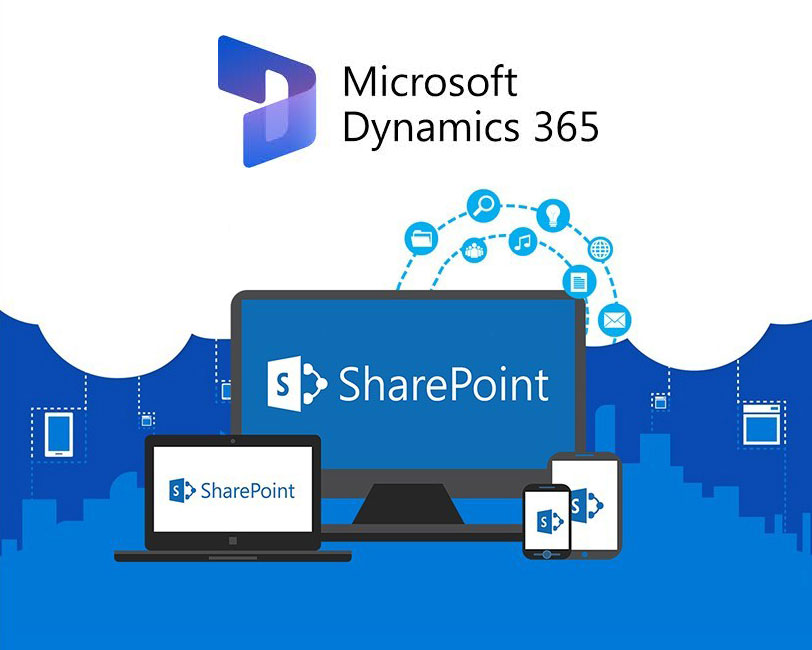
File Sharing at least 1 TB of OneDrive Storage per user.
Securely share files and content with people inside and outside your organization.

Organize and manage content in libraries and list with metadata, records management and retention policies.

Provide a place for your team to organize and collaborate on content, data and news to stay on same page.

Inform and engage your organization with intranets and sites to tell your story, announce your news, share resources, streamline processes, and engage people.

Access Intranets, team sites and content with the SharePoint mobile app for Android, iOS and Windows. OneDrive mobile apps for Android, iOS and Windows.

Automate business processes with alerts and workflows.


OneDrive for Business and Office 365 make it easy for you to share and work together on all your files. Please Click here to schedule an appointment with our SharePoint experts to get more details.

Hi, Welcome to Datanetiix.
I'm here to help you.
Ask Datanetiix Bot
I'm here to help you.
"Smart Conversations, Smarter Solutions"
Welcome to our site, if you need help simply reply to this message, we are online and ready to help.
Please click on the option that best describes you
Please indicate what industry you’re currently in
Please choose the vertical options you're considering:
Data and AI
IT Infrastructure
Microsoft Dynamics
Custom APP
Salesforce
Others
How can we help you?
Develop a new project
Enhance an existing project
Project consultation or troubleshooting
Others
New Implementation/Re-implementation
Version Upgrades
Support Services
Integration Services
Others
New Implementation/Re-implementation
Platform Migration
Support Services
Integration Services
Others
Infrastructure support
Maintenance and Troubleshooting
Implementation and Migration
Others
Thank you for your responses!
How did you hear about us?
Email campaign
Newsletter
Reference
Others
We value your swift reply. It helps keep our discussions productive and on track
How would you rate our chatbot?
Thank you for your feedback! Your rating helps us improve our services. If you have any more questions or need further assistance, feel free to reach out.
Are you seeking a full -time or part-time consulting role
Fresher
Experienced
Part time consultant
Please choose the vertical options you're considering:
Choose an interview mode
Virtual Interview
In person Interview
Please select a convenient date for the interview
How soon you can join?
Immediate Joiner
Below 30 days
30 days
60 days
90 days
Share your linkedin URL
Thank you for the response. Our HR will contact you soon
How would you rate our chatbot?
Thank you for your feedback! Your rating helps us improve our services. If you have any more questions or need further assistance, feel free to reach out.
Please upload your resume
Please choose the vertical options you're considering:
Who would you like to reach out to?
Sales
Support
Please indicate the level of urgency
Low
Medium
High
Please specify the issue
Noted! Our Team Lead will connect with you soon
How would you rate our chatbot?
Thank you for your feedback! Your rating helps us improve our services. If you have any more questions or need further assistance, feel free to reach out.